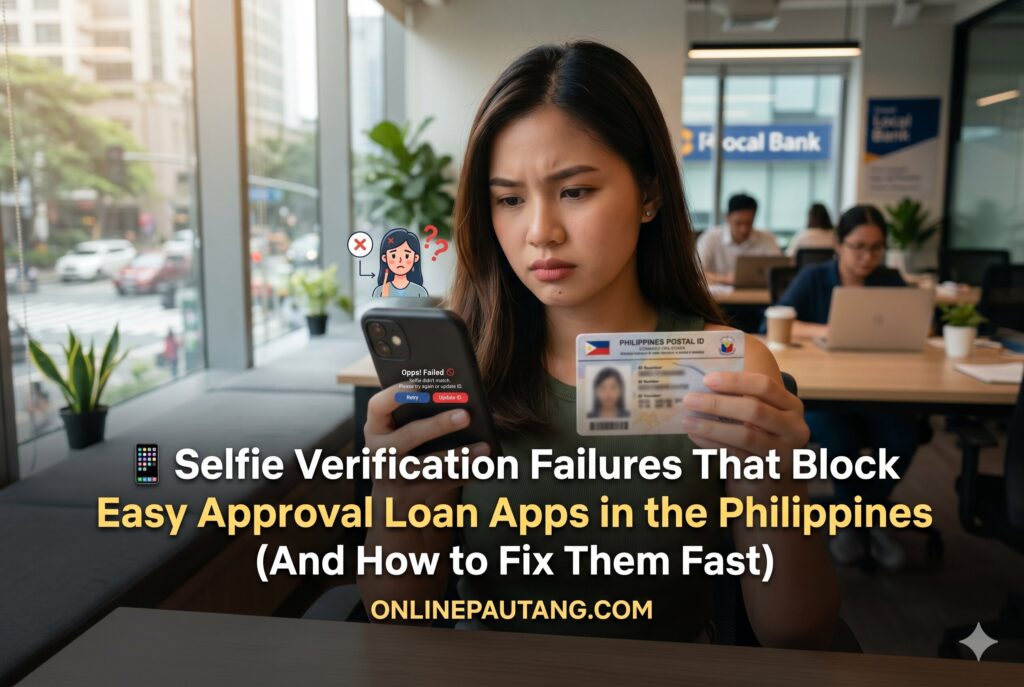
Applying through an online lending platform can feel simple until the selfie verification step suddenly fails. Many borrowers using so-called “easy approval” lending apps in the Philippines get stuck in repeated verification loops even after submitting valid IDs and clear personal information. In most cases, the issue is not the loan itself — it is the app’s biometric verification system detecting risk signals during electronic Know Your Customer (eKYC) checks.
Why Selfie Verification Matters in Philippine Loan Apps
Most digital lenders in the Philippines now rely heavily on automated onboarding systems. Before approving even small cash loans, apps verify identity using:
- Facial recognition systems
- OCR verification for IDs
- Liveness detection tools
- SIM registration matching
- Device fraud monitoring
- Behavioral anti-fraud systems
This process helps lenders comply with digital KYC expectations commonly aligned with risk-control standards used across Philippine fintech platforms.
For borrowers searching for easy approval loan apps philippines, the biggest mistake is assuming “easy approval” means “no verification.” In reality, modern lending apps approve faster because they automate identity checks — not because they ignore them.
When selfie verification fails, the system may interpret the account as:
- A possible identity mismatch
- A spoofing attempt
- A synthetic identity
- A reused document upload
- A risky onboarding pattern
That is why repeated failures can temporarily lower approval probability even if the borrower is legitimate.
What Actually Happens During Selfie Verification? 🔍
Facial Recognition Systems Compare Multiple Data Points
Loan apps do not simply compare one selfie against an ID photo. Modern biometric systems evaluate:
- Facial geometry
- Eye spacing
- Head movement
- Depth signals
- Texture patterns
- Reflection behavior
- Image sharpness
- Skin detail consistency
The app’s AI attempts to determine whether:
- The face is real
- The person is physically present
- The face matches the government ID
- The upload shows signs of manipulation
This is where liveness detection becomes critical.
Liveness Detection Prevents Fraud
Liveness detection tools are designed to stop:
- Printed photo attacks
- Deepfake attempts
- Screen replays
- Edited images
- Static face spoofing
Some apps ask users to:
- Blink
- Turn their head
- Smile
- Move closer to the camera
These movements help the system verify real-time biometric consistency.
If your camera freezes, skips frames, or captures low-quality movement, the app may reject the session automatically.
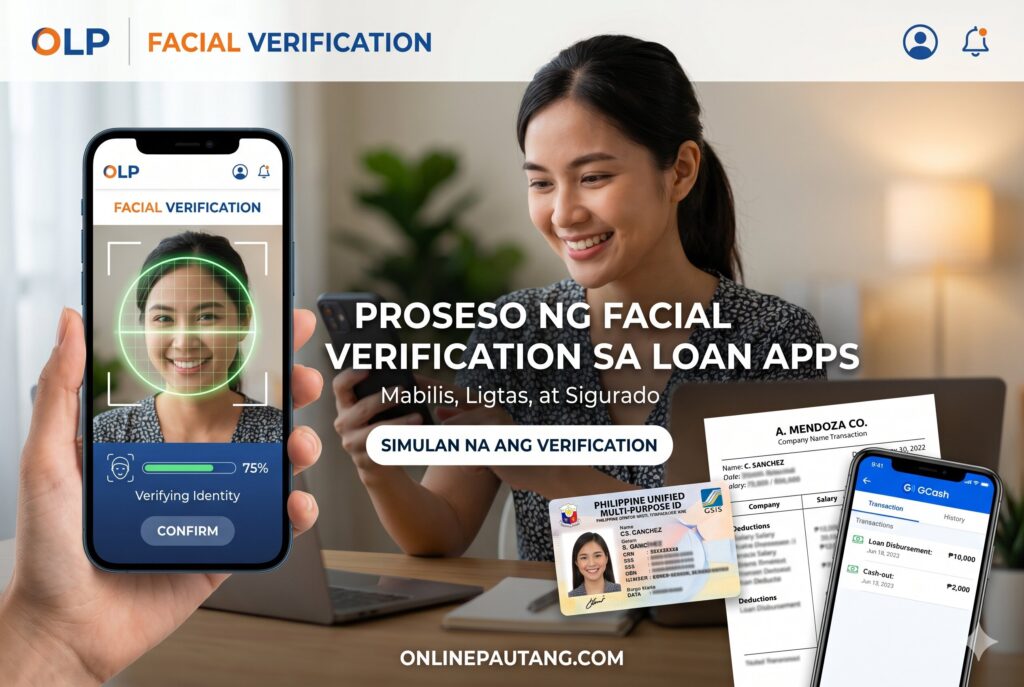
Facial Verification Process in Philippine Loan Apps (onlinepautang.com)
The Most Common Reasons Selfie Verification Fails
Poor Lighting Creates Face Mismatch Errors
Lighting problems are among the top causes of failed eKYC verification.
Common issues include:
- Backlighting from windows
- Dim indoor rooms
- Yellow fluorescent lighting
- Strong shadows on one side of the face
- Overexposure from direct bulbs
Facial recognition systems need balanced lighting to analyze facial contours accurately.
If half your face appears darker, the AI may detect:
- Incomplete face structure
- Suspicious distortion
- Low-confidence match score
Best Lighting Setup
Use:
- Natural daylight facing your face
- Soft white lighting
- Neutral background
- Stable phone position
Avoid:
- Flash glare
- Dark rooms
- Colored LED lighting
- Outdoor nighttime uploads
Blurry Uploads Trigger OCR Verification Problems
OCR verification extracts information from IDs automatically.
If the image is blurry, the system may fail to read:
- Full name
- Birthdate
- Address
- ID number
This creates data mismatches between:
- Your ID
- Your selfie
- Your SIM registration
- Your loan application
Many borrowers think the selfie failed when the real issue came from ID image processing failure.
Cracked Front Cameras Cause Biometric Distortion
Borrowers using damaged phones often experience repeated rejection.
A cracked or dirty front camera can:
- Distort facial edges
- Reduce focus quality
- Affect depth analysis
- Trigger spoofing suspicion
Even tiny cracks near the lens may interfere with liveness detection.
A common pattern in Philippine lending apps involves borrowers repeatedly retrying submissions using damaged low-end Android devices. After several failed attempts, automated fraud systems may temporarily flag the account for abnormal verification behavior.
If possible:
- Borrow another device temporarily
- Clean the lens carefully
- Avoid scratched selfie cameras
Why Verification Loops Keep Happening 🔄
The System May Cache Failed Attempts
Some lending apps temporarily store failed biometric sessions.
If the app repeatedly receives:
- Similar blurry uploads
- Low-confidence face scans
- Duplicate failed frames
…the system may continue rejecting future attempts automatically for a cooling period.
This creates the “verification loop” many borrowers complain about.
Multiple Retries Can Increase Risk Scores
Repeated rapid retries may resemble bot behavior.
Anti-fraud verification systems monitor:
- Device fingerprints
- IP behavior
- Upload frequency
- Motion consistency
- Application repetition
Trying 15 times in one hour may actually reduce success probability.
Instead:
- Stop retrying immediately
- Improve your setup
- Wait several hours
- Reattempt under better conditions
Does Wearing Glasses Affect Approval?
Yes — Sometimes
Glasses can interfere with:
- Reflection analysis
- Eye tracking
- Facial landmark detection
This becomes worse if:
- The lenses are thick
- The glasses reflect light
- The frame covers eyebrows
Many eKYC systems analyze eye-region detail heavily during liveness detection.
When You Should Remove Glasses
Remove glasses if:
- There is visible glare
- Your eyes are partially hidden
- The app specifically requests removal
However, if your government ID photo includes glasses, removing them entirely may occasionally reduce facial similarity scores.
The safest approach:
- Use anti-glare positioning
- Keep eyes fully visible
- Avoid tinted lenses
Can Old ID Photos Cause Rejection?
Absolutely
Face mismatch detection becomes stricter when:
- The ID photo is outdated
- Weight changed significantly
- Facial hair changed
- Aging differences are large
A borrower who used a postal ID from several years ago may look different enough to reduce biometric confidence.
Some apps tolerate moderate changes. Others use stricter thresholds depending on fraud risk levels.
IDs With Low Print Quality Often Fail
Older Philippine IDs sometimes have:
- Faded ink
- Low-resolution printing
- Lamination glare
- Cropped edges
These issues affect:
- OCR extraction
- Face comparison
- Authenticity scoring
If available, use:
- National ID
- Driver’s license
- Passport
- UMID with clearer photo quality
Name Mismatch Problems Between SIM and ID
SIM registration became a major verification layer in Philippine fintech onboarding.
If your:
- SIM registration name
- Loan application name
- Government ID name
…do not align closely, the system may flag the application.
Common mismatch causes:
- Missing middle name
- Nickname usage
- Typographical errors
- Married vs maiden surname
- Incomplete suffixes
This is one reason many borrowers search for explanations about why loan apps reject applications even after passing basic requirements.
Small Differences Still Matter
Even tiny inconsistencies can trigger:
- Manual review
- Delayed approval
- Identity uncertainty
- Repeated selfie requests
Always verify:
- Exact spelling
- Complete names
- Birthdate format
- Address consistency
before resubmitting.
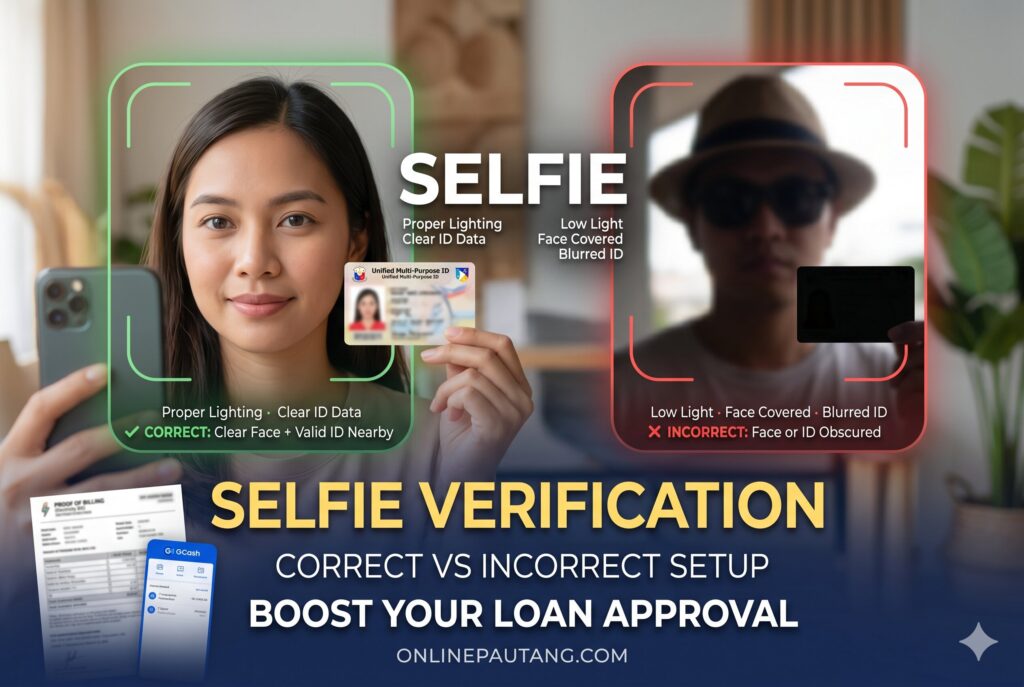
Correct vs Incorrect Selfie Verification Setup (onlinepautang.com)
How to Pass Selfie Verification Successfully ✅
Before Opening the Loan App
Prepare:
- Clean camera lens
- Stable internet
- Bright lighting
- Plain background
- Valid government ID
Also:
- Remove beauty filters
- Disable camera enhancement apps
- Avoid low-battery mode
Some phones aggressively compress camera frames during power-saving mode.
During Selfie Capture
Follow these practices:
- Hold the phone steady
- Keep your full face visible
- Look directly at the camera
- Avoid exaggerated movement
- Stay inside the guide frame
Do not:
- Tilt excessively
- Cover forehead
- Use screenshots
- Submit edited images
After a Failed Attempt
Do not instantly retry repeatedly.
Instead:
- Review lighting
- Reclean the lens
- Restart the app
- Clear app cache if necessary
- Change internet connection if uploads freeze
Then wait before resubmitting.
Why Some “Easy Approval” Apps Still Reject Good Borrowers
Automated Risk Systems Are Conservative
Digital lenders lose money from:
- Identity theft
- Fake IDs
- Account farming
- Multi-account abuse
Because of this, even genuine applicants sometimes trigger defensive algorithms.
A first-time borrower with:
- Weak camera quality
- Inconsistent ID details
- Poor upload lighting
…may appear statistically similar to fraudulent onboarding patterns.
This especially affects users searching for loan apps for first time borrowers because they often lack prior successful digital verification history.
Approval Systems Use Combined Signals
Loan apps evaluate more than selfies.
Risk engines may combine:
- Device history
- Contact consistency
- SIM age
- Geolocation behavior
- Application timing
- Behavioral analytics
- Repayment data from previous lenders
Even if the selfie is acceptable, combined risk scoring may still slow approval.
Device and Camera Fixes That Improve Verification
Android Device Issues
Lower-cost Android phones may struggle with:
- Autofocus delays
- Motion blur
- Low dynamic range
- Weak front sensors
Helpful fixes:
- Increase screen brightness
- Update camera permissions
- Close background apps
- Use rear camera for ID upload if allowed
iPhone Verification Issues
Even premium devices can fail when:
- Face partially exits frame
- TrueDepth sensors detect glare
- Internet upload stalls
Restarting the app often resolves temporary session failures.
Internet Stability Matters More Than Many Borrowers Realize
Interrupted uploads may corrupt:
- Facial scan packets
- Liveness sequences
- OCR frames
This sometimes causes incomplete verification even when the selfie itself looks clear.
Use:
- Stable Wi-Fi
- Strong mobile signal
- Updated app version
Quick Troubleshooting Checklist 📋
| Problem | Likely Cause | Best Fix |
|---|---|---|
| Selfie keeps failing | Poor lighting or blur | Use daylight and stabilize phone |
| Verification loop | Too many retries | Wait before resubmitting |
| Face mismatch | Old ID photo | Use newer valid ID |
| Camera not detecting face | Dirty/cracked lens | Clean or switch device |
| OCR failed | Blurry ID image | Retake ID photo carefully |
| Liveness failed | No movement detection | Follow prompts slowly |
| Rejected with valid documents | SIM and ID mismatch | Correct personal details |
Borrower Behaviors That Accidentally Trigger Fraud Systems
Using Edited Photos
Even basic edits may trigger anti-fraud systems:
- Skin smoothing
- AI beautification
- Background replacement
- Portrait enhancement
Disable beauty mode before capturing selfies.
Applying From Multiple Apps Simultaneously
Some fraud-monitoring ecosystems analyze behavioral overlaps.
Rapid applications across several lenders may appear risky if:
- Verification patterns fail repeatedly
- Device signals overlap
- Identity confidence remains low
This does not automatically mean rejection, but it can increase scrutiny.
Reusing Cropped ID Images
Borrowers sometimes upload old gallery photos instead of taking fresh pictures.
Problems include:
- Cropped edges
- Compression artifacts
- Metadata inconsistencies
- Reflections from previous captures
Fresh real-time captures perform better.
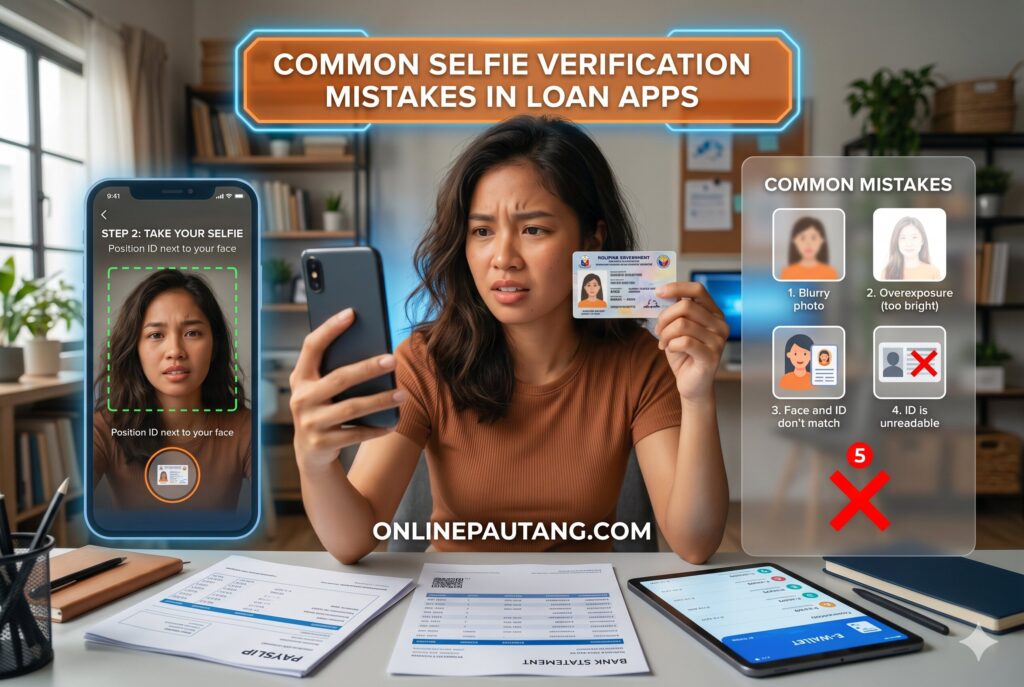
Common Selfie Verification Mistakes in Loan Apps (onlinepautang.com)
Frequently Asked Questions
Why does my selfie keep failing in loan apps?
Most repeated failures come from poor lighting, blurry cameras, outdated ID photos, facial mismatch detection, or liveness detection problems. Repeated retries without fixing the setup can also increase automated fraud suspicion temporarily.
Does wearing glasses affect selfie approval?
Yes. Glare and thick frames can interfere with eye-region analysis. If possible, reduce reflections while keeping your eyes fully visible.
Can an old ID photo cause rejection?
Yes. Large appearance differences between your current face and ID photo can reduce biometric confidence scores during facial recognition checks.
Why do verification loops happen?
Verification loops often happen when apps repeatedly receive low-confidence biometric data or corrupted uploads. Cached failed sessions may temporarily block instant reprocessing.
Can a cracked front camera cause rejection?
Yes. Cracks and scratches distort facial image quality and may interfere with liveness detection systems.
Is selfie verification required even in easy approval loan apps?
Usually yes. Fast-approval apps still use eKYC systems to prevent identity fraud and fake applications.
Practical Preparation Before Your Next Resubmission
Before trying again:
- Use a newer phone if available
- Retake ID photos clearly
- Match all personal details exactly
- Use stable lighting
- Wait before repeated retries
- Avoid filters and edited photos
Most borrowers improve approval success after correcting technical upload issues rather than changing loan apps entirely.
Remember that digital lenders increasingly rely on biometric consistency rather than manual review. A clean, stable, authentic verification session matters more than repeatedly rushing applications.
Conclusion
Selfie verification failures in Philippine loan apps are usually tied to biometric quality issues, identity mismatches, device limitations, or automated fraud prevention triggers — not necessarily borrower eligibility alone. Facial recognition systems, liveness detection, OCR verification, and anti-fraud engines are designed to protect lenders from identity abuse, but they can also block legitimate applicants when uploads are poor or inconsistent.
Borrowers improve approval chances significantly by using proper lighting, clear IDs, accurate personal details, stable internet connections, and undamaged camera hardware. Instead of repeatedly retrying failed uploads, focus on correcting the technical conditions behind the rejection. Responsible borrowing also means verifying your identity carefully, using legitimate information, and applying only through trusted digital lending platforms operating within Philippine fintech compliance expectations.
Disclaimer:This article contains affiliate links. We may earn a small commission if you apply for a loan through our links, at no extra cost to you. The information provided is for educational purposes only and does not constitute professional financial advice. Please borrow responsibly.
Last Updated on May 16, 2026 by Elena Reyes

Pingback: ✅ Easy Approval Loan Apps for First-Time Borrowers in the Philippines 🇵🇭📱 - Online Pautang Philippines
Pingback: 🚫 Why Easy Approval Loan Apps Still Reject Applications in the Philippines (Even When You Upload Complete Requirements) - Online Pautang Philippines